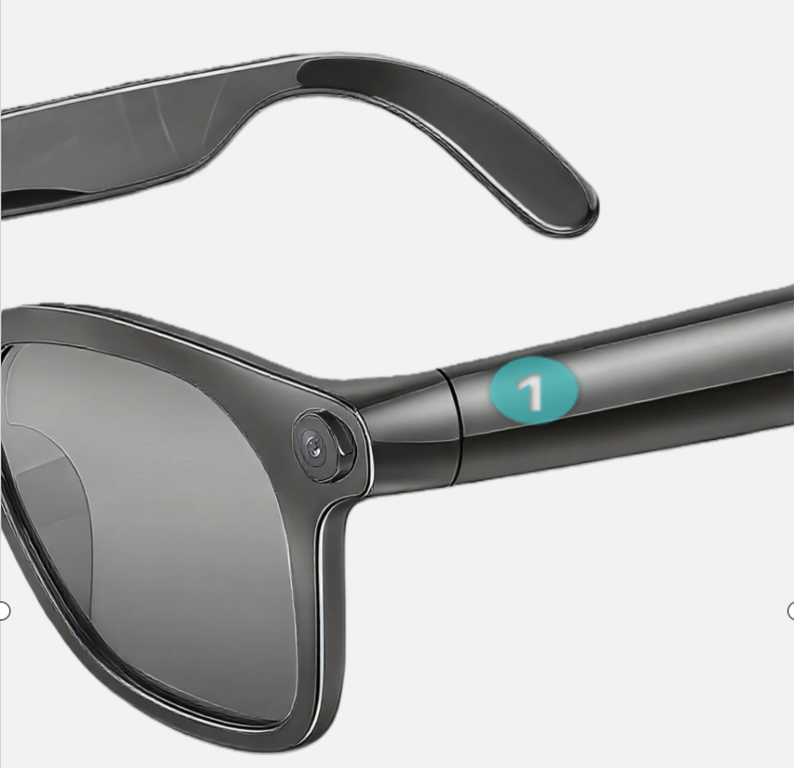
Button ① Control
Master the primary control button for power and media playback.
Press & Hold (3s)
Power On / Off
"Hello Hyper AI" / "Power Off"
Continue Holding
Enter Bluetooth Pairing Mode
"Pairing Mode"
Single Click
Play / Pause Music
Double / Triple Click
Previous / Next Track
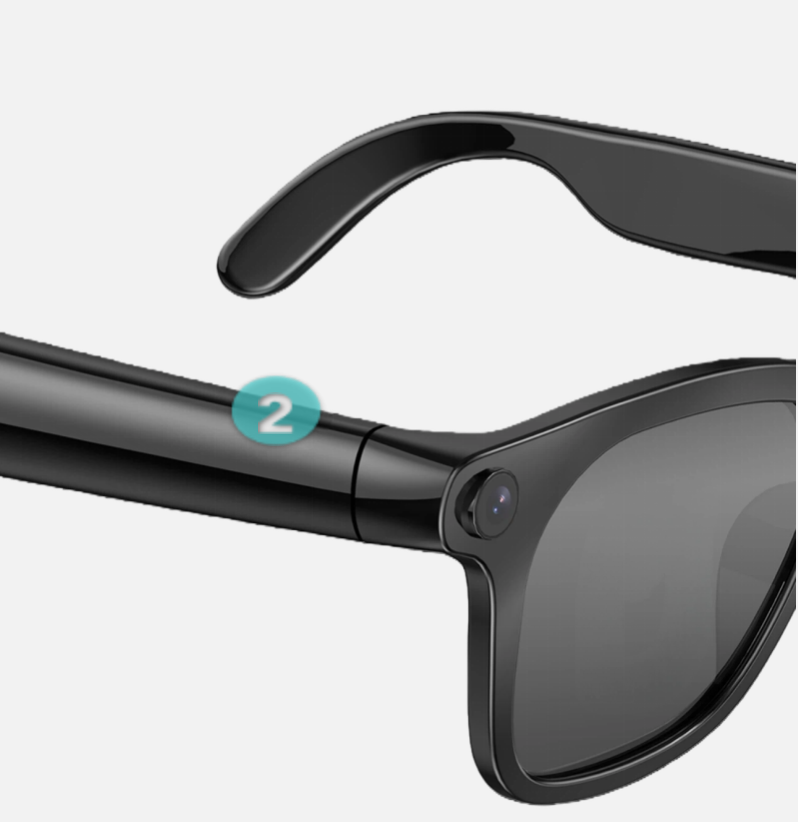
Button ② Control
Capture moments and record audio with simple gestures.
Press & Hold (3s)
Start / Stop Audio Recording
"Recording" / "Stopped"
Single Click
Capture Photo
"Photo Captured"
Double Click
Start / Stop Video Recording
"Video Started" / "Video Ended"
Voice Prompts
A complete guide to audio feedback from your device.
| Scenario | Voice Prompt |
|---|---|
| Power On | "Hello Hyper AI." |
| Power Off | "Power off." |
| Low Battery | "Battery low." |
| Enter Pairing Mode | "Pairing mode." |
| Bluetooth Connected | "Bluetooth connected." |
| Bluetooth Disconnected | "Bluetooth disconnected." |
| Storage Full | "Storage full." |
| Start Recording | "Recording." |
| Stop Recording | "Stopped." |
| Photo Captured | "Photo captured." |
| Video Started | "Video started." |
| Video Ended | "Video ended." |
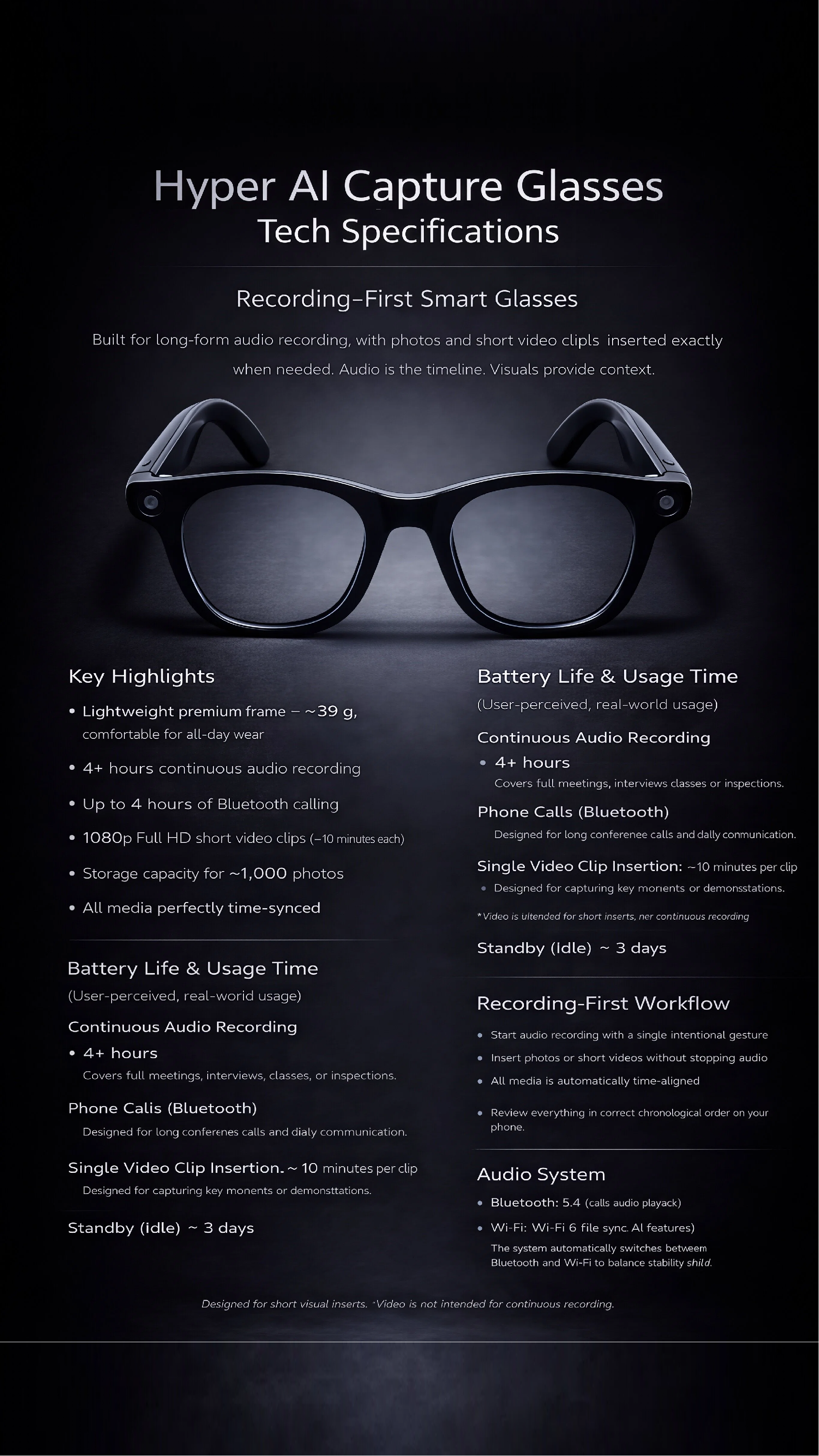
Hyper AI Assistant
A versatile language-enabled smart terminal AI assistant. Relying on OpenAI and Microsoft Azure cloud technology, it integrates core functions such as real-time voice translation, AI recording, and multilingual calls.
Supported Languages
Afrikaans, Albanian, Amharic, Arabic, Armenian, Assamese, Azerbaijani, Bengali, Bosnian, Bulgarian, Cantonese, Catalan, Chinese (Simplified/Traditional), Croatian, Czech, Danish, Dari, Dutch, English, Estonian, Fijian, Finnish, French, German, Greek, Gujarati, Hebrew, Hindi, Hungarian, Indonesian, Irish, Italian, Japanese, Kannada, Kazakh, Korean, Lao, Latvian, Lithuanian, Malay, Norwegian, Persian, Polish, Portuguese, Romanian, Russian, Serbian, Slovak, Slovenian, Spanish, Swahili, Swedish, Tamil, Thai, Turkish, Ukrainian, Urdu, Vietnamese, Welsh + More
Notes Template Types
General, Meetings, Speeches, Calls, Interviews, Medical, Sales, Consulting, Education, Architecture, IT, Legal, Real Estate, Finance